
Note: You must have the necessary Roles associated with your User Profile
-
Go MANAGE on the Navigation bar
-
Select Connectors to view the Manage Connectors screen
-
Locate for the Connector you would like to test
-
Search by Connector Name
-
Filter by Type, Status
-
Sort by Name, Type, Created
-
-
Click on the run test button to test the status of the Connector
-
The test starts to run and Test in progress is displayed
-
The test will Pass or Fail
-
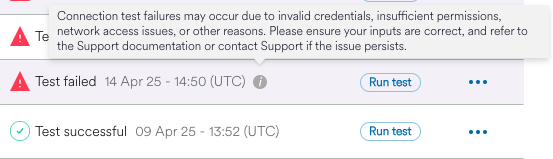
If the test Fails then click the information icon for more information
-
-
Connection test failures may occur due to invalid credentials, insufficient permissions, network access issues or other reasons. Please ensure your inputs are correct and refer to the Support documentation or contact Support if the issue persists.